
Edit an artist
Introduction
You can edit an artist's information at any time.
The changes are saved directly to record and will be immediately available in your archive.
Step 1: Open the record
- Go to the Artists section.
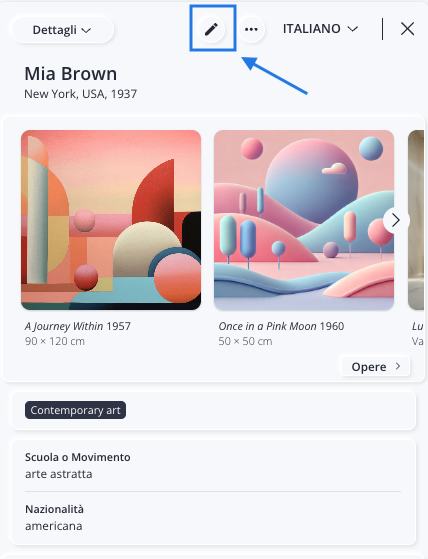
- Select the artist you want to edit to open their record.
- Click the icon to enter mode edit.
Step 2: Update the information
Edit or fill in the desired fields.
For example, you can:
- correct personal information;
- update biographical information;
- Change school or movement.
You don't have to edit all the fields—you can just edit the ones you're interested in.
For a complete description of the available fields, see the article Add an Artist.
Step 3: Save your changes
When you're done, click Save.
The new information will be updated in the record .