
Remove an artist
Introduction
If you want to remove an artist from your library, you can delete their record from the Artists section.
Artshell lets you delete a single record multiple artists at once, so you can keep your database up to date and quickly remove content that is no longer useful to you.
In this guide, you'll learn how to remove one or more artists and what to check before confirming the action.
Before You Begin
Before deleting an artist, make sure you have selected the record and that you no longer need the associated information.
Warning: Deleting an artist is permanent and cannot be undone. To prevent accidental deletions, Artshell requires confirmation before completing the operation.
Remove a single artist
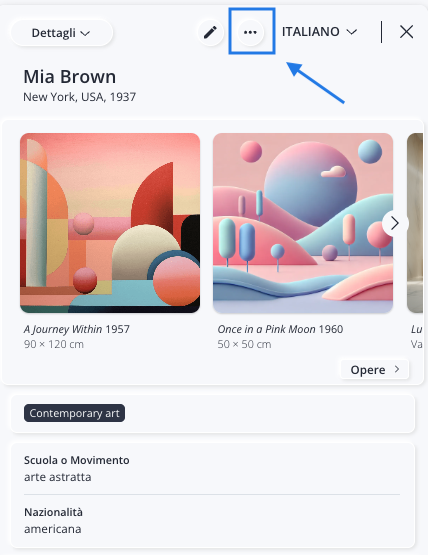
To delete a single record :
- Select the artist you want to delete.
- Click the icon .
- Select Delete.
- A confirmation dialog box will appear. To permanently delete the work, click Delete. If you selected the work by mistake, click Cancel.
Remove more artists
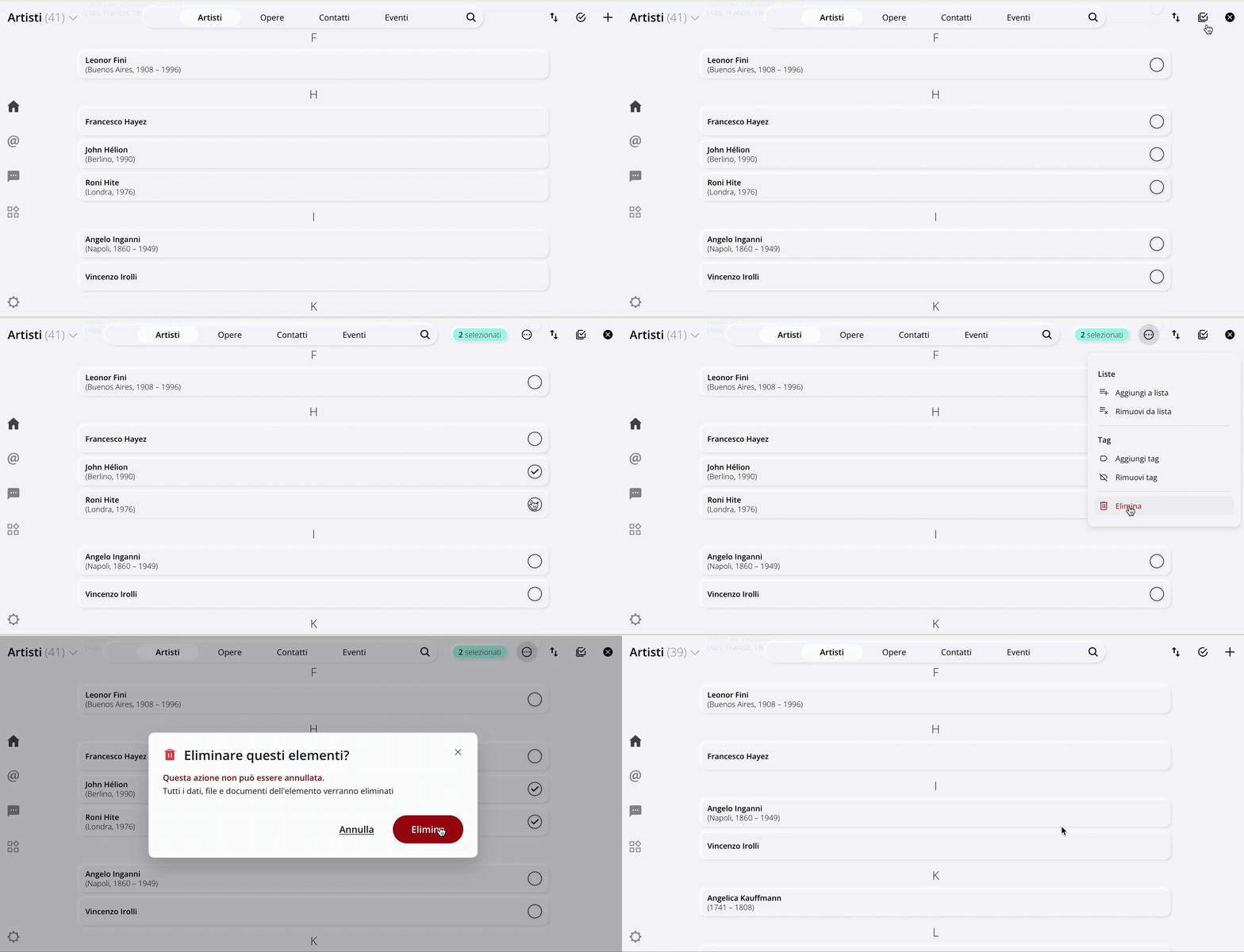
If you need to remove multiple artists at once, you can use Select mode.
- Go to the Artists section.
- Click " Select."
- Select the artists you want to delete.
- Click the icon from the menu Manage .
- Click the last option, " Delete."
- Confirm the action by clicking Delete in the confirmation dialog box.
Here is a brief demonstration:
What Happens to Linked Content
Deleting permanently removes the record from your database.
Images and files are also available in the Medialibrary will remain available there, because removing them from record necessarily mean they have been permanently deleted from Medialibrary.