
Export or publish an insight
Introduction
Once you've created an insight, you can share it in several ways, depending on where you want to make it available.
Artshell offers two ways to share:
- Export Link to generate a public URL that you can share directly with your Contacts.
- Publish to make the insight visible on your profile Network, publish a Pop-up Platform or a website linked to your Artshell account.
This guide explains how to use both modes, how to update an insight that has already been published, and how to remove it from one or more destinations.
Export an insight via a link
The " Export Link " feature generates a public link to the selected insight.
Anyone with the URL can view the shared content, even without direct access to your Artshell account.
To generate a link for an insight:
- Open the insight you want to share;
- Click the icon in the upper right corner of record;
- Select " Export Link"
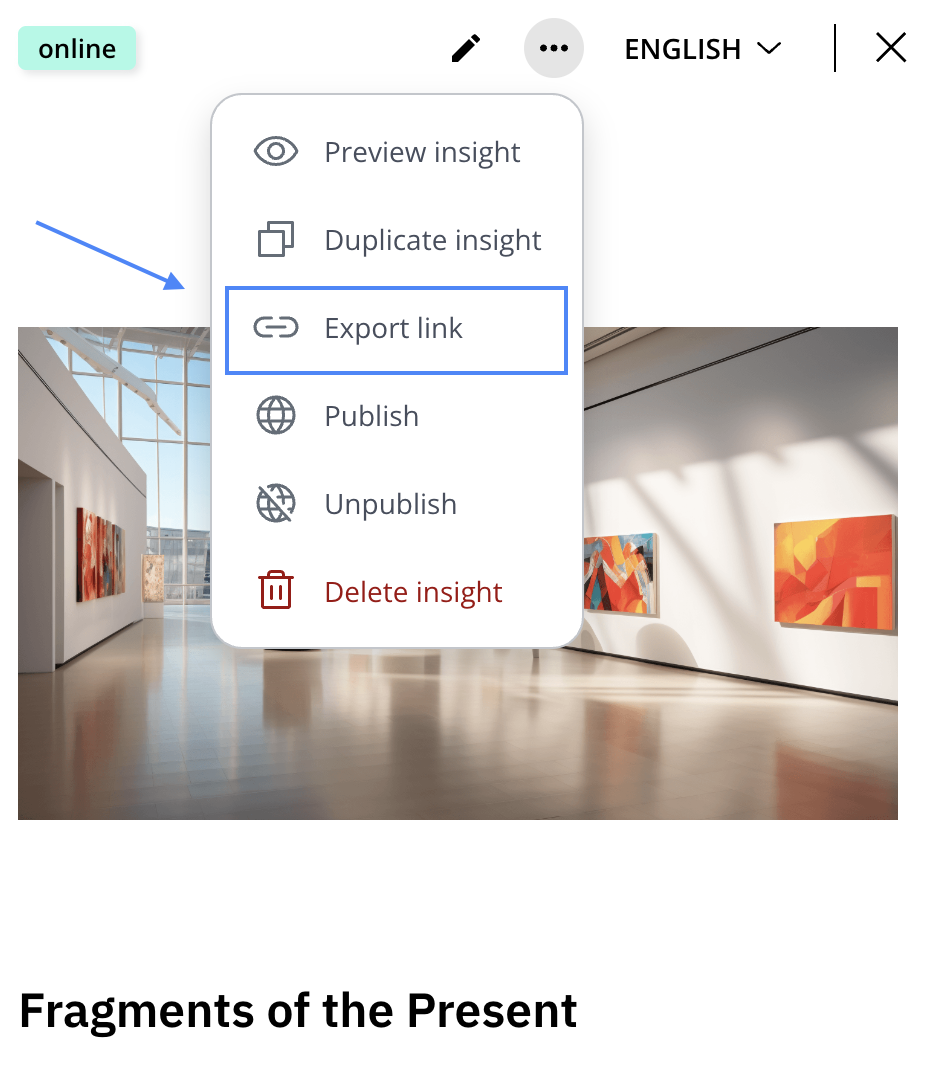
Once the process is complete, Artshell displays a window containing the generated link. From this screen, you can:
- Copy the link;
- Open it directly in your browser using the " Open Link" button.
The generated link is public: anyone who has it can view the insight, so it is recommended that you use this feature only for content intended to be shared externally.
Link Update
If you edit an insight that has already been exported and use the " Export Link" option again, Artshell will not create a new URL.
The system automatically updates the existing link, keeping the address the same and publishing the most recent version of the content.
Post an insight
The Publish feature allows you to make an insight available across one or more channels linked to your account.
This feature is useful when you want to share an insight in a specific space, such as on your Artshell profile, in a channel on the pop-up platform network you're part of , or on a website linked to the software.
To post an insight:
- Open the insight you want to publish;
- Click the icon in the upper right corner of record;
- Select Publish;
- Select the channel you want from the available options.
If you select the Network profile as your destination, the post will be published immediately. If, on the other hand, you select a website, Artshell will display a confirmation window before publishing to prevent accidental posts.
Note: To publish insights on your website, the site must be compatible with Artshell synchronization. If you’d like to enable this feature on an existing site, or if you’d like to create a new website connected to Artshell, please contact the Sales team by emailing sales@artshell.eu. The team will verify the site’s compatibility and inform you of the available solutions.
Update an insight that has already been shared or published
You can edit an insight at any time, even after you've published or shared it.
When an insight is already online, the "Online" label record in its record , indicating that the content is published to at least one destination or is available via a public link.
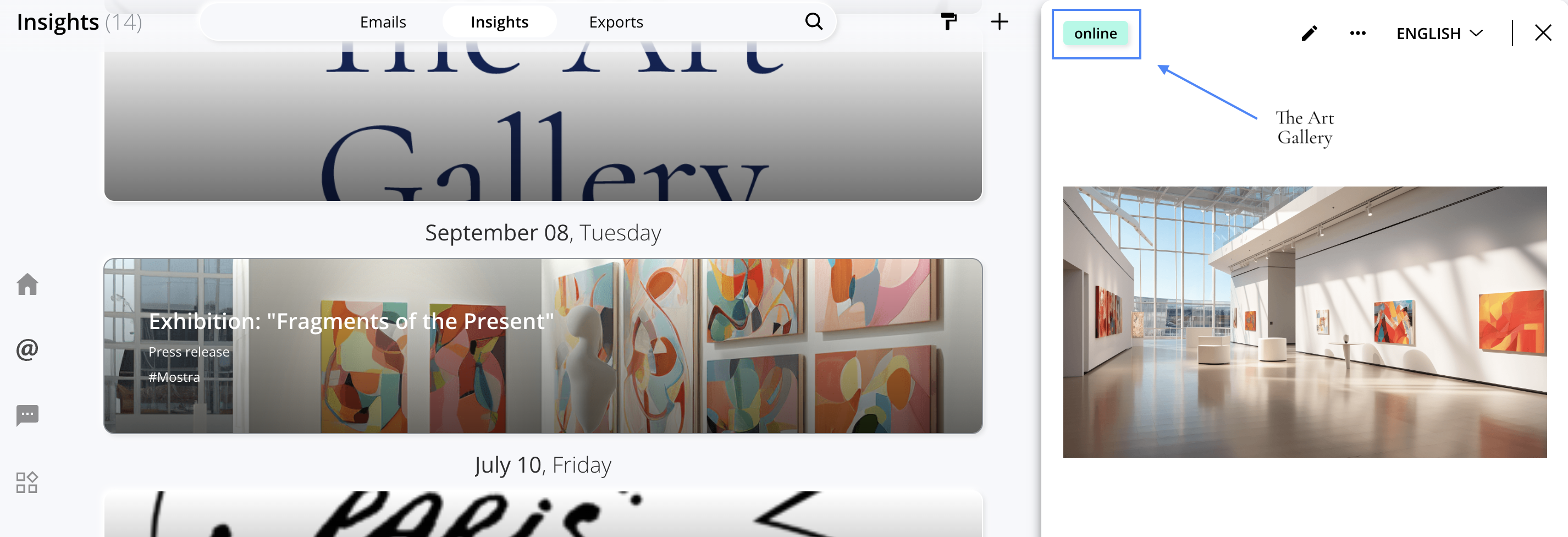
To update an insight:
- Open the insight;
- Click the icon to enter mode edit ;
- Make the desired changes;
- Click "Save" in the upper-right corner.
After modifying the insight:
- The public link is updated using the " Synchronize" button, while retaining the same URL;
- Published insights can be updated using the " Publish " and " Sync " functions, as they produce the same result: both update the published version of the content.
Remove an insight from a post
If you no longer want to display an insight for a specific destination, you can use the " Remove from Publication" feature.
This action does not delete the insight from your account; it only removes the post from the selected channel.
To remove an insight from a post:
- Open the published Insight;
- Click the icon in the upper right corner of record;
- Select " Remove from publication";
- Select the destination from which you want to remove the insight;
- Confirm by clicking " Remove from publication";
If the insight is published in multiple locations, you can select only the ones from which you want to remove it.
Difference between a public link and a post
Both methods allow you to share an insight, but they serve different purposes.
Export Link
Use this mode when you want to quickly share an insight via a public URL, for example with a client, collaborator, or external contact.
Publish
Use this mode when you want to integrate the insight into a digital space connected to Artshell, such as your Network profile, a Pop-up Platform, or a website.
Before sharing an insight, consider which method is most appropriate based on the level of visibility you want to give it.
Conclusions
Artshell lets you share insights flexibly, choosing between sharing via a public link and posting to the channels linked to your account.
With the Export Link, Publish, Sync, and Unpublish features, you can keep your content up to date and easily manage its visibility over time.