
How to delete a tag that is no longer in use
Introduction
This article explains how to permanently remove a tag you no longer use, so that it no longer appears in the search bar or in the list of selectable tags within the records.
In Artshell, tags are managed separately for each section: Artworks, Artists, Contacts , and Events. This means that if you create a tag in the Contacts section, that tag will be available only for Contacts will not automatically appear in the other sections as well.
For this reason, even the removal of a tag always applies to the section in which the tag was created.
Example:
If you have created the “VIP” tag in both the Contacts and the Artworkssections, you’ll need to remove it separately from both sections.
To completely remove a tag from a section, it is not enough to remove it from a single record: the tag must be removed from all items in that section to which it is still associated.
Problem Description and Signs
A tag keeps appearing among the available tags even after you think you've removed it.
This happens because the tag is still associated with at least one item. As long as the tag remains applied to even a single record, it will continue to be visible in the search bar and in the list of selectable tags.
You might find yourself in this situation if:
- the tag still appears in the search bar;
- The tag is still visible in the list of selectable tags;
- The tag reappears when you edit a record;
- You removed the tag from some records, but not from all of the ones where it was present.
Steps for Resolution
To permanently remove the tag, you must delete it from all the elements to which it has been applied.
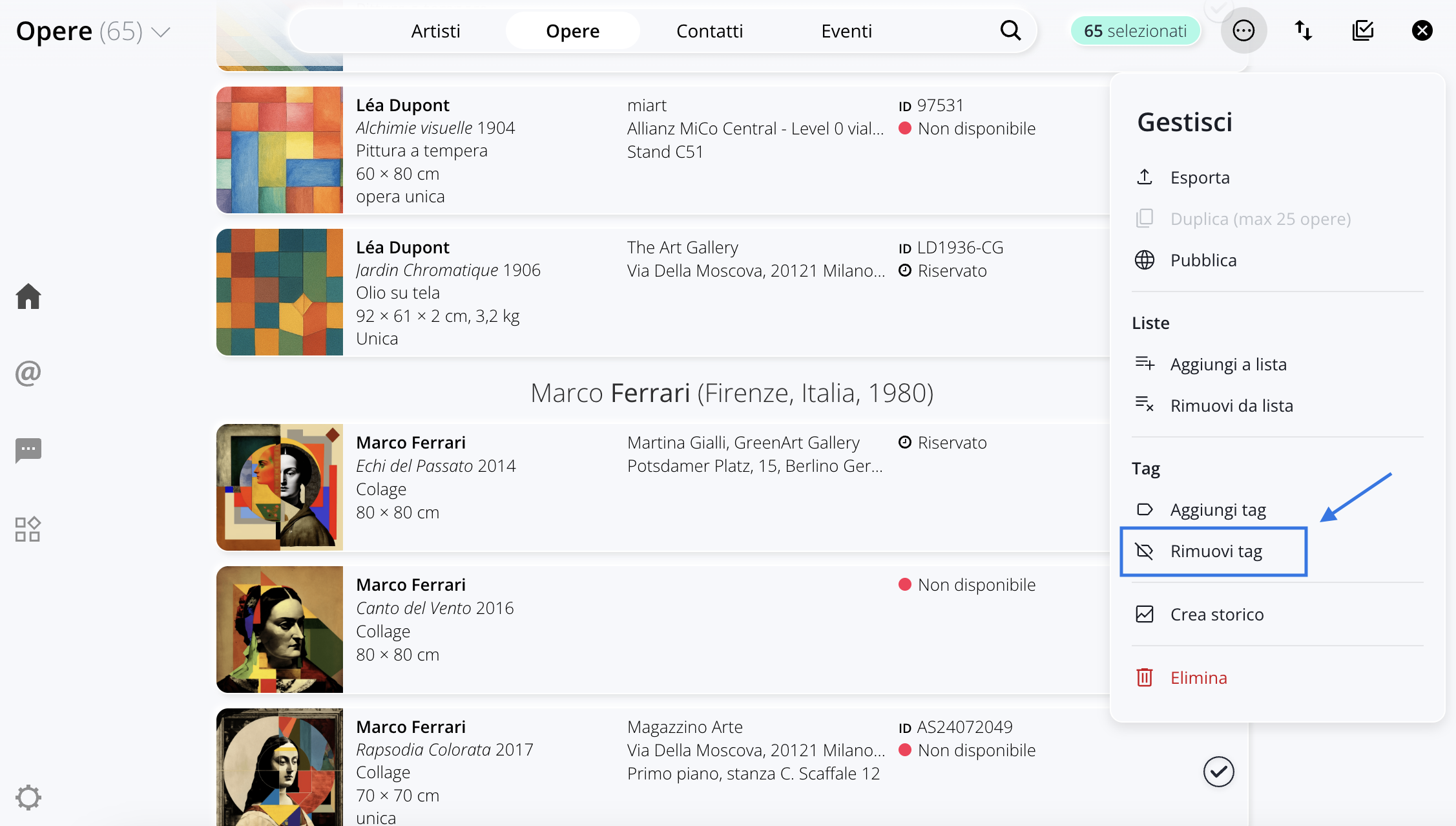
Follow these steps:
- Go to the section where the tag was used, for example, the section Artworks.
- Click the icon Top right to enter selection mode.
- Click the icon to select all the Artworks.
- In the menu Manage that opens on the right ( ), select Remove tag.
- From the list that appears, select the tag you want to delete. If necessary, you can search for it using the search bar.
- Click " Remove " in the lower-right corner to confirm the action.
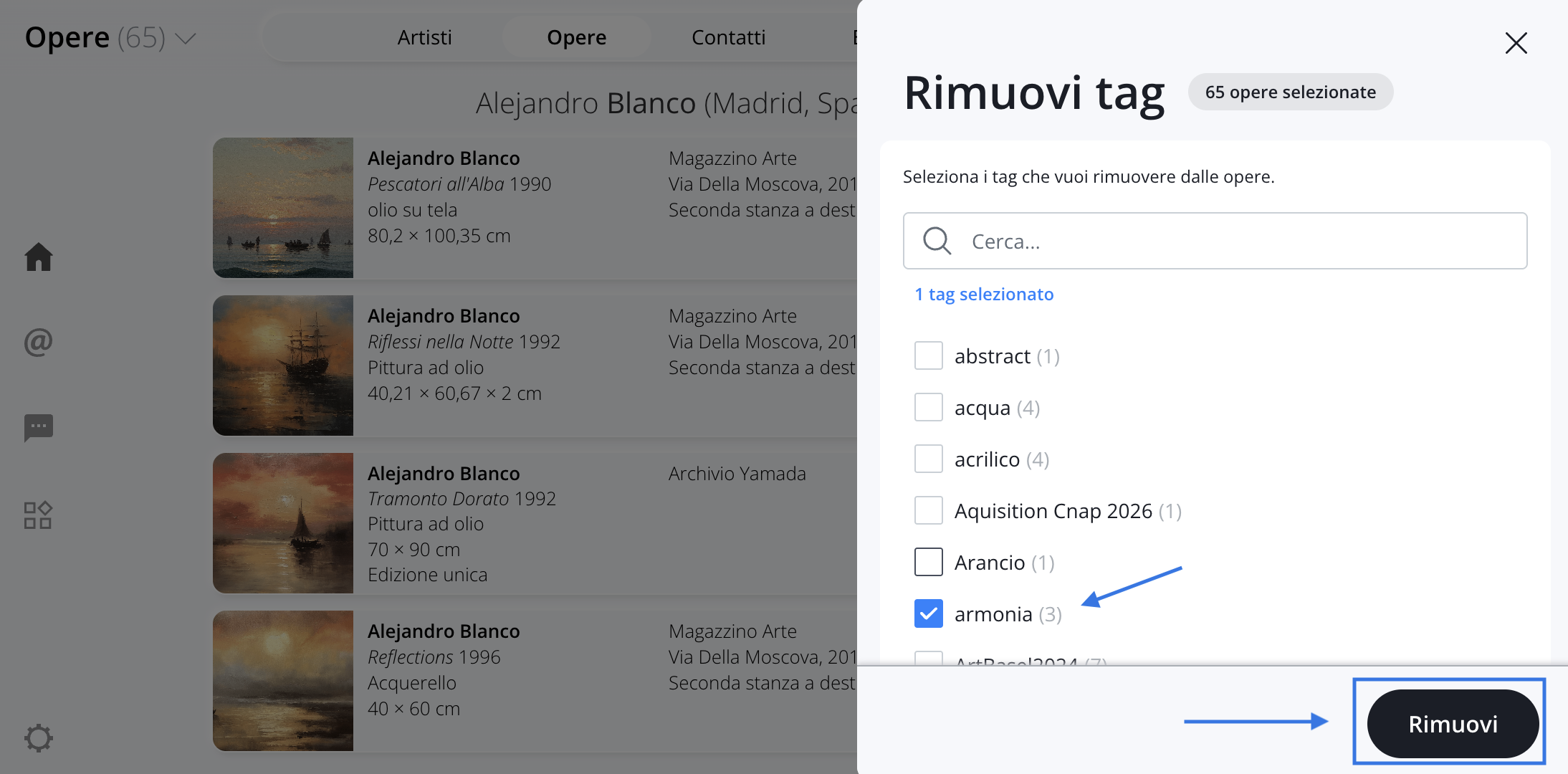
Once the tag has been removed from all records section where it appeared, it will no longer appear among the tags available for that section.
The same logic applies to the other sections of Artshell that use tags, such as Artworks, Artists, Contacts , or Events: to permanently delete a tag from a section, you must remove it from all the items it is associated with within that same section.
Conclusions
To keep your archive organized, we recommend that you periodically review the tags you've used and remove any that are no longer needed from the relevant sections.
If you'd like to learn more about how tags and lists work in the different areas of Artshell, you can check out the articles on managing tags and lists in the various sections: